
Support work gets harder to manage when requests arrive through email, chat, meetings, spreadsheets, and side conversations. Coalesce360 creates one structured ticket workflow for customer support, internal service requests, and operations work.
Because tickets connect to the broader Coalesce360 platform, teams can see how support issues relate to customers, delivery work, production changes, and operational commitments.
See the help ticket module
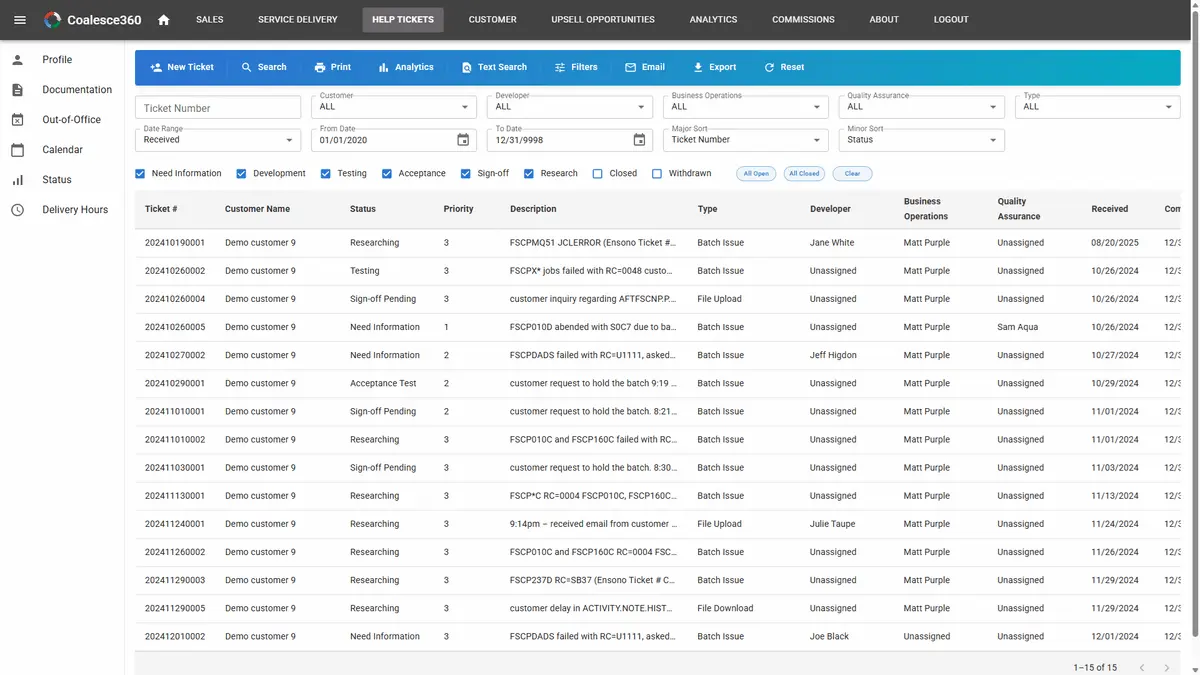
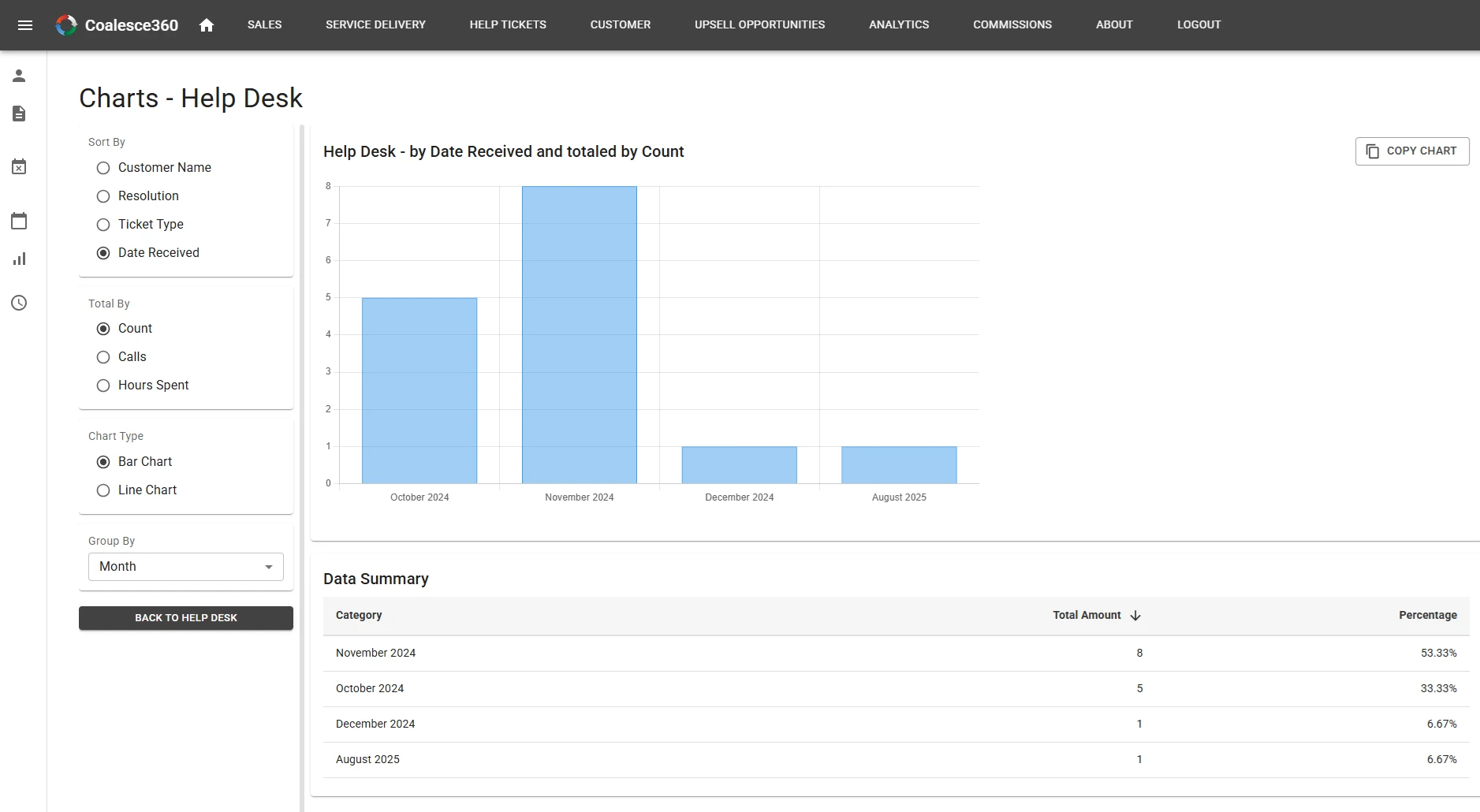
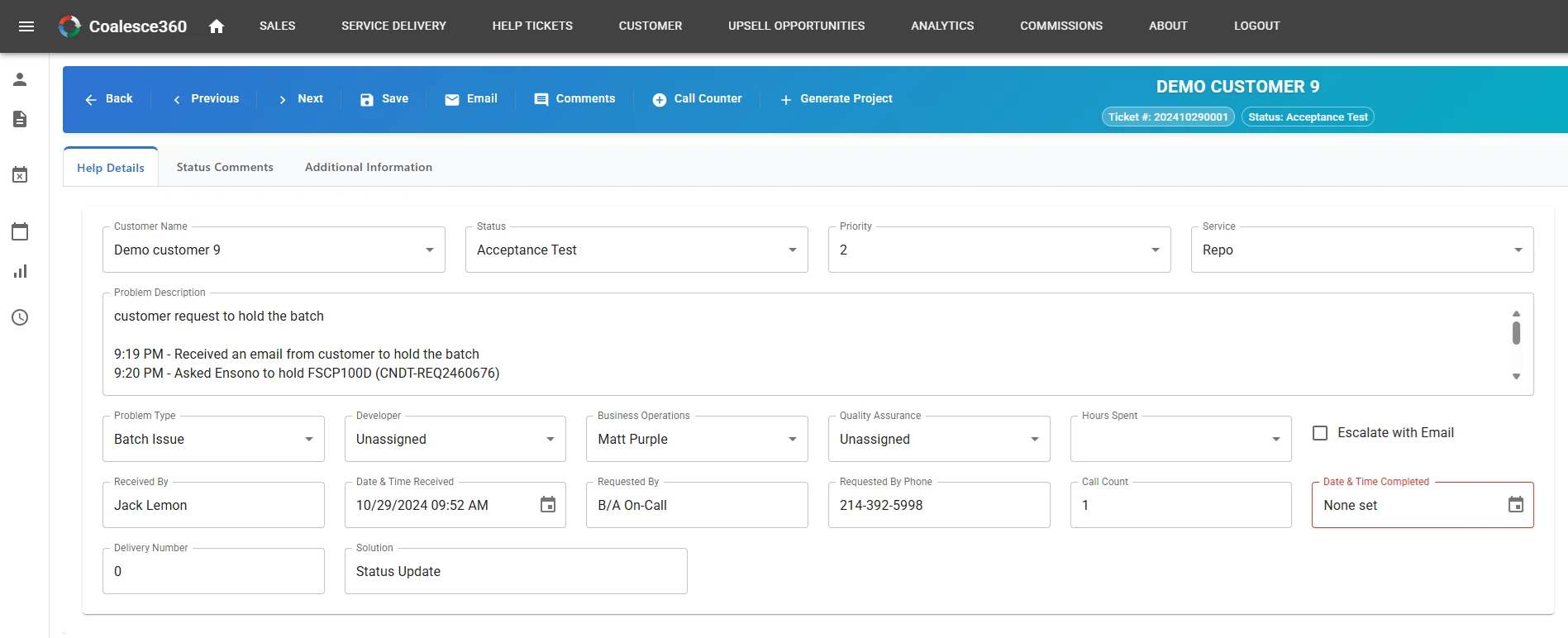
Ticket queues, service charts, and ticket details with customer and operational context.
Why ticket management needs more than a queue
A ticketing system should help the organization understand work, ownership, urgency, customer impact, and resolution history.
Centralized intake
Capture requests in one workflow instead of spreading them across email, chat, and spreadsheets.
Accountability
Assign ownership, priorities, statuses, due dates, and escalation paths.
Connected context
Tie tickets to customers, delivery projects, operational work, and production changes.
What help ticket management supports
The Coalesce360 ticket module supports support teams and operations teams that need visibility from request through resolution.
Ticket creation
Capture customer requests, internal service issues, operational tasks, and follow-up work.
Assignment and routing
Route tickets to the right person or team with clear ownership and priority.
Status and aging
Track open, in-progress, waiting, escalated, resolved, and aging tickets.
Escalation
Surface urgent, overdue, recurring, or customer-impacting issues before they get lost.
Customer and project linkage
Connect tickets to accounts, contacts, delivery work, and production-change needs.
Reporting
Review volume, backlog, aging, response trends, resolution trends, and team workload.
Email tracking vs Coalesce360 tickets
Coalesce360 helps teams move from informal request tracking to structured service visibility.
| Need | Disconnected tools | Coalesce360 approach |
|---|---|---|
| Intake | Requests arrive through multiple channels and get missed. | Tickets are captured in a centralized workflow. |
| Ownership | Teams ask who is handling the issue. | Owner, priority, and status are visible. |
| Customer impact | Support issues are separate from account and delivery context. | Tickets can connect to customers and projects. |
| Reporting | Backlog and aging require manual tracking. | Reporting can show volume, backlog, aging, and trends. |
Support CRM vs connected ticketing
A support CRM treats tickets as the customer system. In Coalesce360, a ticket is not a second CRM. It sits on the same customer and delivery record, and it can connect to production change when an issue becomes a controlled change.
Use a help desk or support CRM when queue, SLA, and reply templates are the whole problem. Use Coalesce360 when support work has to stay visible next to accounts, projects, and operations requests.
Who uses Coalesce360 help tickets
The ticket module supports both customer-facing and internal operations workflows.
- Support teams that manage customer issues and service requests.
- Internal service desks that handle employee or department requests.
- Operations teams that coordinate cross-functional work.
- Delivery teams that need tickets connected to projects and customers.
- Leaders who need better visibility into backlog, volume, and response trends.
What improves with structured ticketing
The module helps teams reduce lost requests and improve follow-through.
- Clearer intake and ownership.
- Less dependence on email follow-up.
- Better visibility into aging and overdue tickets.
- Stronger customer and delivery context.
- More reliable reporting on service workload and outcomes.
Frequently Asked Questions
What is help ticket management software?
Help ticket management software helps teams capture requests, assign owners, manage priorities, track status, escalate issues, and report on support or operational work.
Can tickets be tied to customers?
Yes. Coalesce360 tickets can stay connected to customer and account context.
Can tickets be used for internal requests?
Yes. Coalesce360 can support customer-facing tickets, internal service requests, operations issues, and cross-team tasks.
How does ticket management help operations?
It gives teams a clearer view of what is open, who owns it, how long it has been aging, and where bottlenecks or escalations exist.
Can tickets connect to production changes?
Yes. When a support issue creates production change work, Coalesce360 can help keep the operational context connected.
Is Coalesce360 support CRM software?
No. Coalesce360 is help-ticket and operations request management with customer context. It is not a support CRM. Tickets stay tied to accounts, delivery work, and—when needed—production change.
Need a better way to manage service requests?
Use Coalesce360 to centralize ticket intake, ownership, priorities, escalations, customer context, and service reporting.